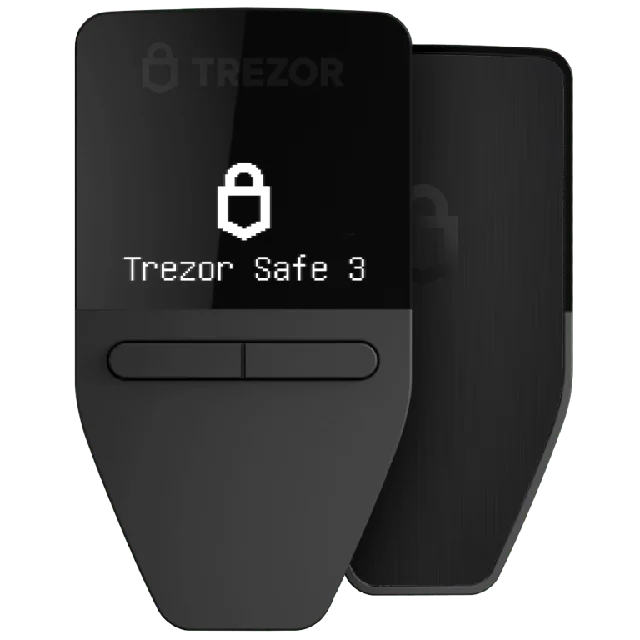
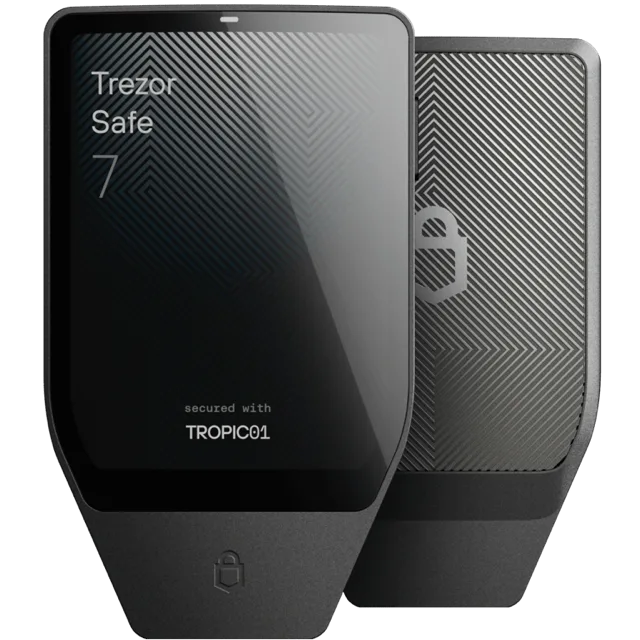
This pair sits at opposite ends of Trezor's current lineup, $190 apart. The Safe 3 costs $59, with a 0.96" monochrome OLED, physical buttons, one Optiga Trust M secure element, and USB-C only. The Safe 7 costs $249, with a 2.5" color touchscreen, two secure elements (TROPIC01 and Optiga), a battery, Qi2 wireless charging, Bluetooth, and an aluminum body. Both run open-source firmware, neither signs air-gapped, and each has a Bitcoin-only edition at the same price as its standard one. The Safe 7 is far more device. The Safe 3 does the core job of holding keys for a quarter of the price.
Buying Advice
If you want a Trezor on a budget, the Safe 3 Bitcoin-only edition at $59 is the sensible buy. Pay $249 for the Safe 7 only if the screen matters to you, and then get its Bitcoin-only edition with Bluetooth off. For air-gapped signing, the Jade Plus at $149 costs less than the Safe 7.
The Bottom Line
The Safe 7 takes the win on this site, but narrowly: it rates 2.9 to the Safe 3's 2.8, and neither is a Bitcoin wallet I would put first. It has the auditable TROPIC01 chip, the big screen for checking long addresses, and Trezor's most transparent security design. It also has a chip flaw that firmware cannot fix, disclosed in June 2026, plus a Bluetooth radio. The Safe 3 has none of those problems and none of the extras. At $190 more, the Safe 7 is a luxury for people who value the screen, not a security upgrade you need.
Security Architecture
Security is the whole point. Everything else is secondary. Here's how these two handle it:
- Trezor Safe 3: Open-source firmware with new secure element. Trezor pioneered open-source hardware wallets but Safe 3 adds a secure element for the first time.
- Trezor Safe 7: Three independent chips from three vendors: the TROPIC01 auditable secure element, an NDA-free EAL6+ Optiga secure element, and a security-hardened STM32U5 microcontroller. Keys and the wallet backup are not stored on TROPIC01. The bootloader and firmware are verified at every boot with the SLH-DSA-128 post-quantum signature scheme. Transactions are confirmed on the touchscreen, and Bluetooth and USB-C traffic is encrypted with the open-source Trezor Host Protocol.
Open-source on both sides. That's how it should be. Neither wallet asks you to trust a black box. The code is out there for anyone to audit.
Feature Comparison
The specs that matter for Bitcoin security.
| Feature | Trezor Safe 3 | Trezor Safe 7 |
|---|---|---|
| Price | $59 | $249 |
| Bitcoin-Only | No | No |
| Open-Source | Yes | Yes |
| Air-Gapped | No | No |
| Secure Element | Optiga Trust M (first Trezor with SE, partially open) | Dual: TROPIC01 (auditable, open architecture) plus Optiga EAL6+ (NDA-free) |
| Connection | USB-C | Bluetooth, USB-C |
The Verdict
The Safe 7 is the most transparent secure element setup Trezor has shipped, and I give them real credit for picking an auditable chip and then publishing the bad news when researchers broke it. But $249 buys you Bluetooth, a battery, and multi-coin firmware by default, and none of that makes your bitcoin safer. Within eight months of launch, the TROPIC01 chip had a hardware flaw that firmware cannot fix. Trezor says your PIN and funds stay protected by the other layers, and I believe the layered design helps, but the chip was the main reason to pay the premium. For Bitcoiners, a Jade Plus starting at $149 gives you air-gapped QR signing and Bitcoin-only firmware for $100 less. If you are set on a Trezor, the Safe 7 Bitcoin-only edition with Bluetooth turned off is the version I would tolerate.
What Trezor Safe 7 Does Better
Best for: Trezor users who want the auditable TROPIC01 chip, Buyers who will pick the Bitcoin-only edition and turn Bluetooth off, People who sign on a phone and accept a wireless link, NOT for Bitcoiners who want air-gapped signing.
Trezor Safe 3's Weaknesses
The core issue: Trezor Safe 3 supports altcoins. For serious Bitcoin storage, that's a liability, not a feature.
On Altcoin Support
Neither device strips down to Bitcoin-only firmware. That means both are running code for tokens you probably don't care about. More code, more risk, and no benefit to your bitcoin security.
The Price Question
You'll save $190 with Trezor Safe 3 at $59. But Trezor Safe 7's premium buys you real improvements worth the extra cost.
What People Ask
What does the Safe 7 add over the Safe 3?
The Safe 7 adds a 2.5" color touchscreen (the Safe 3 has a 0.96" OLED), a second secure element in TROPIC01, a battery, Qi2 wireless charging, Bluetooth, and an aluminum body. Both use open-source firmware. The Safe 3 is USB-C only and has no battery.
Is the Safe 7 worth $190 more than the Safe 3?
For most people, no. The Safe 3 costs $59 and the Safe 7 costs $249. The extra money buys a bigger screen, Bluetooth, a battery, and wireless charging, and the Safe 7's TROPIC01 chip has a hardware flaw that firmware cannot fix. Neither one signs air-gapped.
Do the Safe 3 and Safe 7 have Bitcoin-only firmware?
Yes, both have an edition for it. Trezor sells a Safe 3 Bitcoin-only edition at $59 and a Safe 7 Bitcoin-only edition at $249, the same as the standard prices. The standard editions run multi-coin firmware, so choose the Bitcoin-only edition either way.
Which has the more secure chip, the Safe 3 or Safe 7?
The Safe 7 has more chips: TROPIC01 plus Optiga, against the Safe 3's single Optiga Trust M. TROPIC01 is auditable, but Trezor disclosed in June 2026 that it was broken in a lab, and firmware cannot fix it. Trezor says the attack does not expose your PIN or funds.
Full Reviews
Compare Trezor Safe 3 to:
Compare Trezor Safe 7 to:
Was this helpful?