Trezor Safe 3 Review
The original hardware wallet, now with secure element
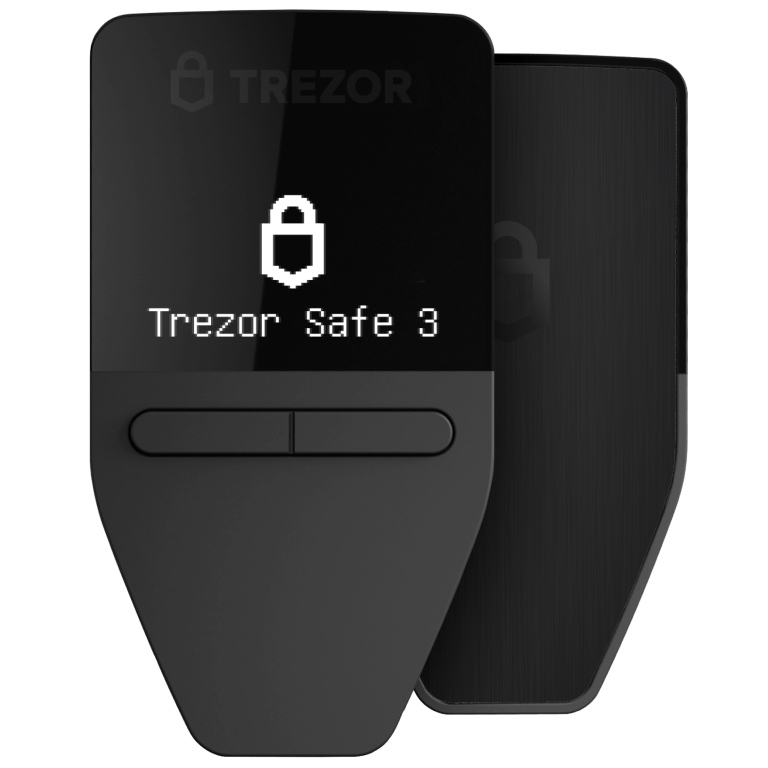
Trezor invented the hardware wallet in 2013. They deserve credit for that. But the Safe 3 is still compromised by one decision: supporting altcoins. SatoshiLabs finally added a secure element to address the physical extraction vulnerability that plagued older Trezors. At $79, it's affordable. Just know what you're buying.
Multi-Coin Warning
This wallet carries firmware for tokens you probably don't care about. Each one adds complexity and potential risk. The wallet makers prioritize supporting as many coins as possible because it drives sales. Your security is the trade-off.
Security Architecture
Open-source firmware with new secure element. Trezor pioneered open-source hardware wallets but Safe 3 adds a secure element for the first time.
| Secure Element | Optiga Trust M (first Trezor with SE, partially open) |
| Connection Methods | USB-C |
| Display | 0.96" OLED |
| Passphrase Support | Yes |
| Multisig Support | Yes |
About SatoshiLabs
Trust Assessment
Reasons to Trust
- Pioneered open-source hardware wallets
- Long track record since 2013
- Open-source firmware
- Czech company with cypherpunk roots
- Safe 3 addresses previous physical attack vectors
Concerns
- Historical physical extraction vulnerability
- New secure element is less battle-tested
- Still supports altcoins (not Bitcoin-only)
- No air-gapped option
Where It Shines
Open-Source Pioneer
Trezor invented the hardware wallet category and has championed open-source from day one.
New Secure Element
Safe 3 finally adds a secure element, addressing the physical extraction vulnerabilities of previous models.
Affordable Price
At $79, it's one of the most affordable secure hardware wallets with a secure element.
Ecosystem Compatibility
Widely supported across wallets and services. Good documentation and community.
The Drawbacks
- No Air-Gap: Requires USB connection for all operations. No QR code signing option.
- Multi-Coin Bloat: Supports thousands of altcoins, increasing codebase complexity and attack surface.
- New Secure Element Unproven: The Optiga Trust M is new to Trezor. Its security track record in this implementation is limited.
- Past Physical Vulnerabilities: Previous Trezor models were vulnerable to physical seed extraction. Safe 3 aims to fix this, but the history remains.
Security Incidents & Controversies
Every company makes mistakes. What matters is how severe they are and what they reveal about priorities. Here's SatoshiLabs's track record:
Security researchers demonstrated seeds could be extracted from Trezor devices with physical access using voltage glitching. Trezor's response was to recommend passphrases.
Third-party support system breach exposed contact information of 66,000 users. Less severe than Ledger breach but still a data security concern.
Best For
- Users who value open-source but want a secure element
- Budget-conscious buyers
- Those who prefer established brands
- Multi-coin holders who want some transparency
Frequently Asked Questions
Key Specifications
$59
2.8/10
Multi-Coin
Secure Element, Open Source, Touchscreen
0.96" OLED
USB-C
Still deciding on the Trezor Safe 3?
Take the quiz and get a personalized recommendation in 60 seconds.
My Final Take
From a hardware standpoint, the Trezor Safe 3 is fine. The issue is what runs on that hardware.
It has secure element and open source. Some people will like that.
Not Recommended
Multi-coin wallets aren't what I recommend for bitcoin storage. More code means more risk. At $59, you can get a Bitcoin-only device with a smaller, more auditable firmware.
Bitcoin-only, dummy.
I'm not going to help you buy a multi-coin wallet. Check out my Bitcoin-only recommendations instead.
How Trezor Safe 3 Compares
Was this helpful?
Other reviews worth reading
Closest alternatives to the Trezor Safe 3, by price and security model.