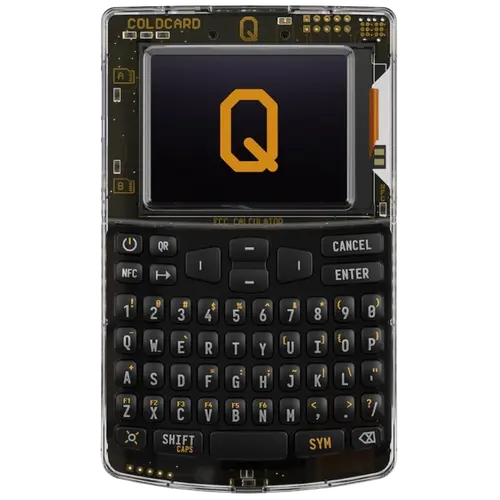
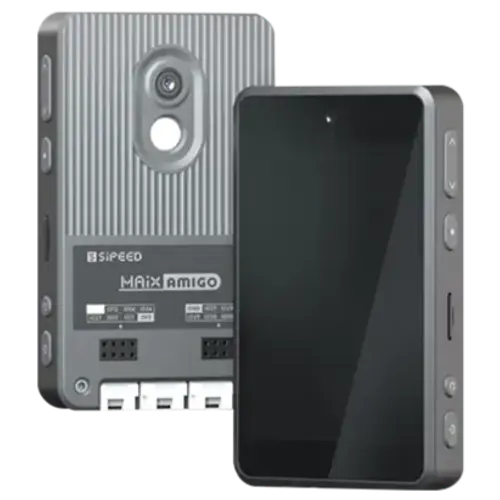
Both of these wallets got the first decision right: no altcoins. That's the baseline. Now let's figure out which one actually earns a spot securing your bitcoin.
I've spent time with both devices. I've set them up, signed transactions, tested the firmware. What follows is what I found.
The Bottom Line
Both are solid Bitcoin-only choices, but Coldcard Q edges out the competition with superior features and community trust.
Why Coldcard Q Wins
Best for: Users who frequently use passphrases, Those who found Mk4 keyboard tedious, Security-focused Bitcoiners who want latest features, Power users who need maximum flexibility.
Krux's Weaknesses
- Requires direct connection (potential attack vector)
- DIY assembly required
- Less polished UX
- No commercial support
Feature Comparison
The specs that matter for Bitcoin security.
| Feature | Coldcard Q | Krux |
|---|---|---|
| Price | $249 | $40 |
| Bitcoin-Only | Yes | Yes |
| Open-Source | No | Yes |
| Air-Gapped | Yes | No |
| Secure Element | Dual ATECC608B secure elements | None (software security) |
| Connection | MicroSD (air-gapped), USB-C, NFC, QR codes | QR codes only (air-gapped) |
How They Handle Security
The security model is where you should start any comparison. Everything else is just features.
- Coldcard Q: Dual secure elements with extensive anti-tampering. QWERTY keyboard for easier passphrase entry.
- Krux: Stateless DIY signing device. Similar concept to SeedSigner but supports more hardware.
Krux is fully open-source, inside and out. Coldcard Q technically isn't. This matters more than just about anything else to me. With only "verifiable-source" firmware, no matter what a company says, there's ultimately a small layer of trust still present. Why not let the community gain full access? Open-source means anyone can not just look at the code, but build with it too. Blockstream hosts all kinds of DIY workshops at conferences to showcase the Jade's brutally transparent architecture. I know which approach I trust with my bitcoin.
Coldcard Q supports air-gapped operation via QR codes. Your private keys never have to touch a networked device. Every USB cable, every Bluetooth connection is an attack surface you don't need.
My Recommendation
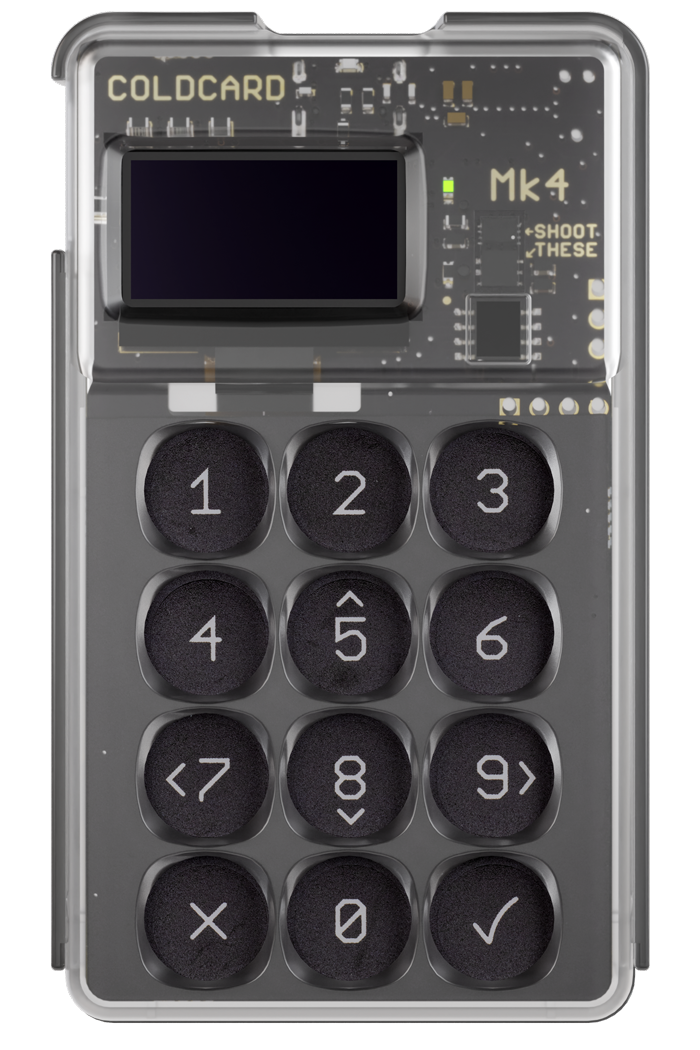
The Coldcard Q is the enthusiast's choice. At $249, it's not cheap. But if you use passphrases regularly, the keyboard alone justifies the upgrade from Mk4. Add QR code support and NFC for PSBTs, and you have the most feature-complete Coldcard ever. The large form factor won't fit in your pocket, but it'll sit nicely on a desk. For power users who want maximum flexibility, this is it.
Price & Value
You'll save $209 with Krux at $40. But Coldcard Q's premium buys you real improvements worth the extra cost.
Market Context
Hardware wallets aren't going away. As more people realize exchanges aren't safe, devices like Coldcard Q and Krux become more important. The question isn't whether to self-custody. It's how.
Who Should Buy Which?
If you value a focused, Bitcoin-only approach, go with Coldcard Q. If a pure Bitcoin experience matters more, Krux is your pick. But for pure bitcoin security, I always lean toward the Bitcoin-only option.
Frequently Asked Questions
Is Coldcard Q or Krux better for beginners?
Both are straightforward to set up. Coldcard Q is my overall recommendation. If you're new to hardware wallets, either one will work, but a Bitcoin-only wallet keeps things simpler.
Can I use my existing seed phrase?
Both wallets support standard BIP39 seed phrases. You can import your existing 12 or 24-word recovery phrase from any compatible wallet.
Do Coldcard Q and Krux support multisig?
Most modern hardware wallets support multisig setups. Check the individual reviews for specifics on each wallet's multisig implementation and supported coordinators.
Are Coldcard Q and Krux Bitcoin-only?
Yes, both are Bitcoin-only wallets with no altcoin support.
Full Reviews
Compare Coldcard Q to:
Compare Krux to:
Was this helpful?